Heads up: this browser is blocking local storage, so your progress will not be saved after you close the page.
Lab 2 · Module 1 · Trust But Verify
Research Across Documents and the Web (Researcher)
Step 1: why this is needed and what each entry does
Switch on the research agent (Open Researcher). Researcher plans a multi-step search, asks clarifying questions, and writes a cited report. Plain chat answers in one shot.
- Researcher
- A built-in agent for deep research. It takes minutes, not seconds, and counts against a monthly limit (currently about 25 Researcher plus Analyst runs per person).
- No Researcher entry
- Licensing or admin settings. Nothing you can fix in class; Path B uses the same prompt in Copilot Chat.
Step 2: why this is needed and what each entry does
Give it the City's own files (Attach the two files). The prompt asks Researcher to combine the City's files with what other cities have tried. Without the files it only has the web.
- Sources
- Researcher can also use your email, Teams and the web. For this lab the two files plus the web are enough; the prompt tells it what to search.
- Both attached
- If one is missing, the report will quietly lean on the web alone.
Step 3: why this is needed and what each entry does
Ask one careful question (Send the prompt). The prompt says what to produce, what to cite, and what to do when the files are silent. A vague question gets a confident guess.
- Copy prompt
- The prompts follow the C.H.A.T. frame: Context, How come, Assign task, Type of output. Copy them whole; a shortened prompt drops the guardrails.
- Clarifying questions
- Answer with what the prompt already says (scope, audience). Do not add new goals; that widens the search.
- Minutes, not seconds
- Researcher runs a plan: search, read, draft, cite. The wait is normal.
Step 4: why this is needed and what each entry does
Read what the source really says (Open three citations). A citation is a claim that the source supports the sentence. Three opened citations tell you whether this report can be trusted.
- One from a City file
- Checks whether Researcher read the files at all.
- Two from the web
- Web sources are where overstatement hides: a blog becomes evidence.
Step 5: why this is needed and what each entry does
Label what you will repeat (Mark each finding and record). Each finding is Supported, Copilot's interpretation, or Needs checking. That label is what you carry to the debrief.
- Copilot's interpretation
- True in spirit, not in the source's words. Fine to discuss, not to quote.
- Five Checks
- Source: which file. Verification: did you open it. Context: did the caveats survive. Resilience: would it still hold if the data changed. Authorized Owner: who signs off before anyone acts on it.
The prompts for this lab: copy and paste
Same prompts as in the Prompts section and the Do it steps. Paste each one whole.
Overview
What we are doing
- The situation
- Open requests doubled in five months. Management wants ideas for cutting the backlog, backed by what other cities have tried, not just opinions.
- Your role
- You are the analyst asked to bring ideas to management.
- Your task
- Ask Researcher (the Copilot agent that searches files and the web and writes a sourced report) to combine two City files with public web sources.
- Files you need
- File 02 (02_Service_Request_Procedure.docx), file 05 (05_Executive_Brief.docx), and public web sources.
- Done when
- You opened and marked three citations (the source links in Copilot's answer). You also wrote a short note with one finding, one recommendation, and one open question.
- Why it matters
- A recommendation that cites a source nobody opened is a guess with a footnote. Opening three citations yourself is the habit that catches it.
Check before you finish
- Does each citation support what Copilot said?
How to do it: the basic steps
5 steps, one screen each. Select the ? on a card for why the step is needed and what each entry does.
- Switch on the research agent (Open Researcher)
Why: Researcher plans a multi-step search, asks clarifying questions, and writes a cited report. Plain chat answers in one shot.
- m365.cloud.microsoft
- Agents
- Researcher
Sign in at m365.cloud.microsoft with your work account. Select Agents in the left pane, then Researcher. No Researcher? It needs a Microsoft 365 Copilot license and your organization must have turned it on; use the Path B steps.
- Give it the City's own files (Attach the two files)
Why: The prompt asks Researcher to combine the City's files with what other cities have tried. Without the files it only has the web.
- + (Sources)
- Upload or OneDrive
- files 02 and 05
Select the + (or Sources) under the prompt box, choose Upload or OneDrive, and add 02_Service_Request_Procedure.docx and 05_Executive_Brief.docx. Both should show as attached.
- Ask one careful question (Send the prompt)
Why: The prompt says what to produce, what to cite, and what to do when the files are silent. A vague question gets a confident guess.
- Copy prompt
- Paste
- Send
Select Show the prompts below, then Copy under Researcher prompt (Path A & B). Paste it into the chat box and select Send. Researcher asks one or two clarifying questions first. Answer briefly, then wait: a full run takes several minutes.
- Read what the source really says (Open three citations)
Why: A citation is a claim that the source supports the sentence. Three opened citations tell you whether this report can be trusted.
- Citation number
- Source opens
- Compare
Select three citation numbers, one from a City file and two from the web. Read the passage. Does it say what the report says, or something weaker?
- Label what you will repeat (Mark each finding and record)
Why: Each finding is Supported, Copilot's interpretation, or Needs checking. That label is what you carry to the debrief.
- Label each finding
- Pick three items
- Five Checks
Mark every finding Supported, Copilot's interpretation or Needs checking. Write down one finding, one recommendation and one open question for the debrief. Run the Five Checks: Source, Verification, Context, Resilience, Authorized Owner. Then mark the lab steps done.
= why the step is needed and what each entry does. Like this = something you select or click. Like this = something you type or paste.
Microsoft changes these screens often; a label on your screen may differ slightly. If a button is missing, your organization may not have turned the feature on: use the Path B steps.
Where to click
- Copilot
- Agents
- Researcher
- +
- files 02 and 05
Watch the demo video
Demo B: Researcher asks, plans, then returns 3 sourced points
Chapters (select one to jump there):
Step-by-step narration (transcript)
Recorded in consumer Copilot with a short demo question. In class, use the full Lab 2 prompt with files 02 and 05. No audio. Captions are WebVTT: captions .vtt · chapters .vtt · MP4 (602 KB)
Watch where to click Real screenshots (consumer Copilot) + illustrations
The demo shows where to click, step by step. Steps marked Real screen are screenshots from Copilot (consumer version); your work Microsoft 365 Copilot may look slightly different. The other steps are drawings. The list under the player is the same steps as text.
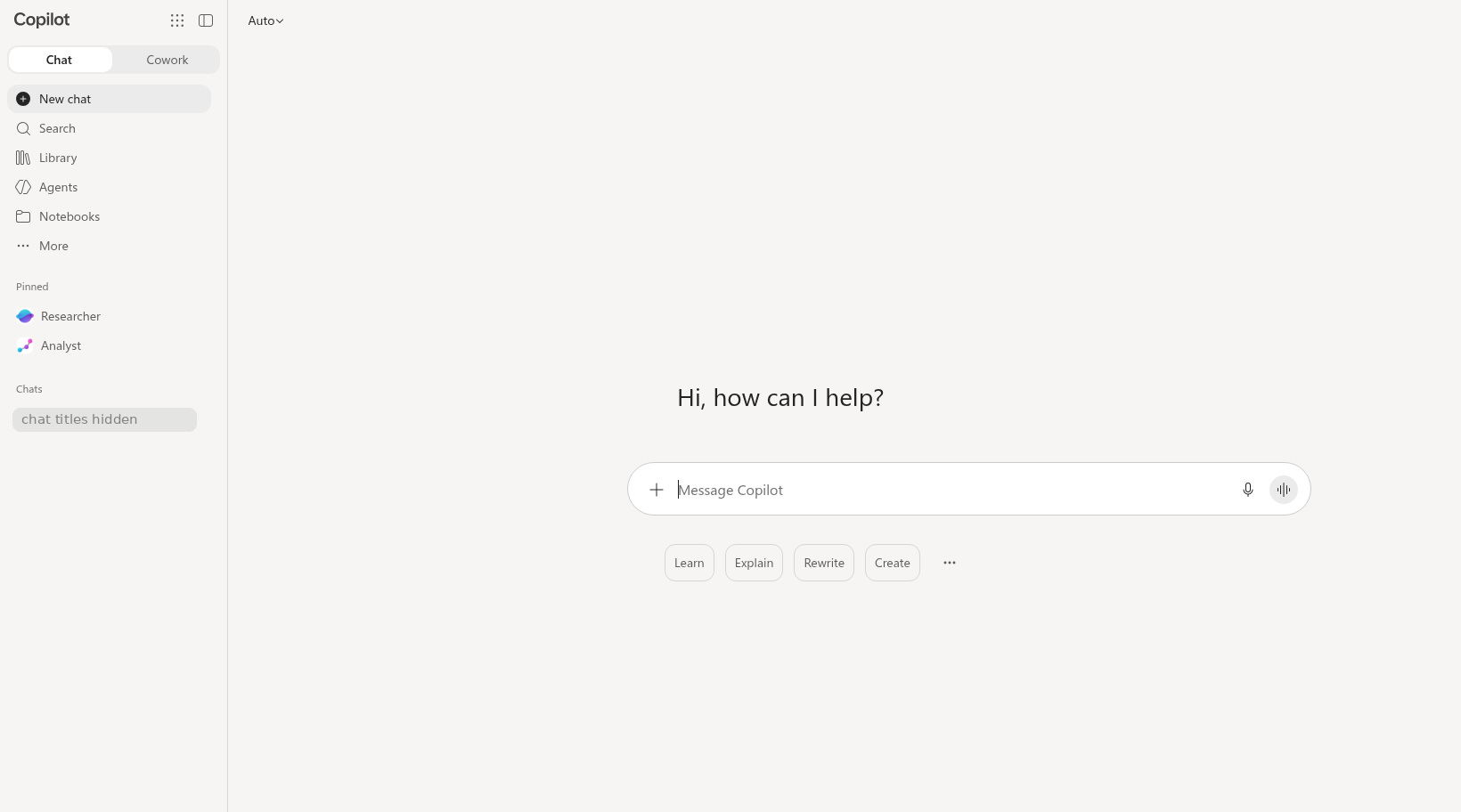
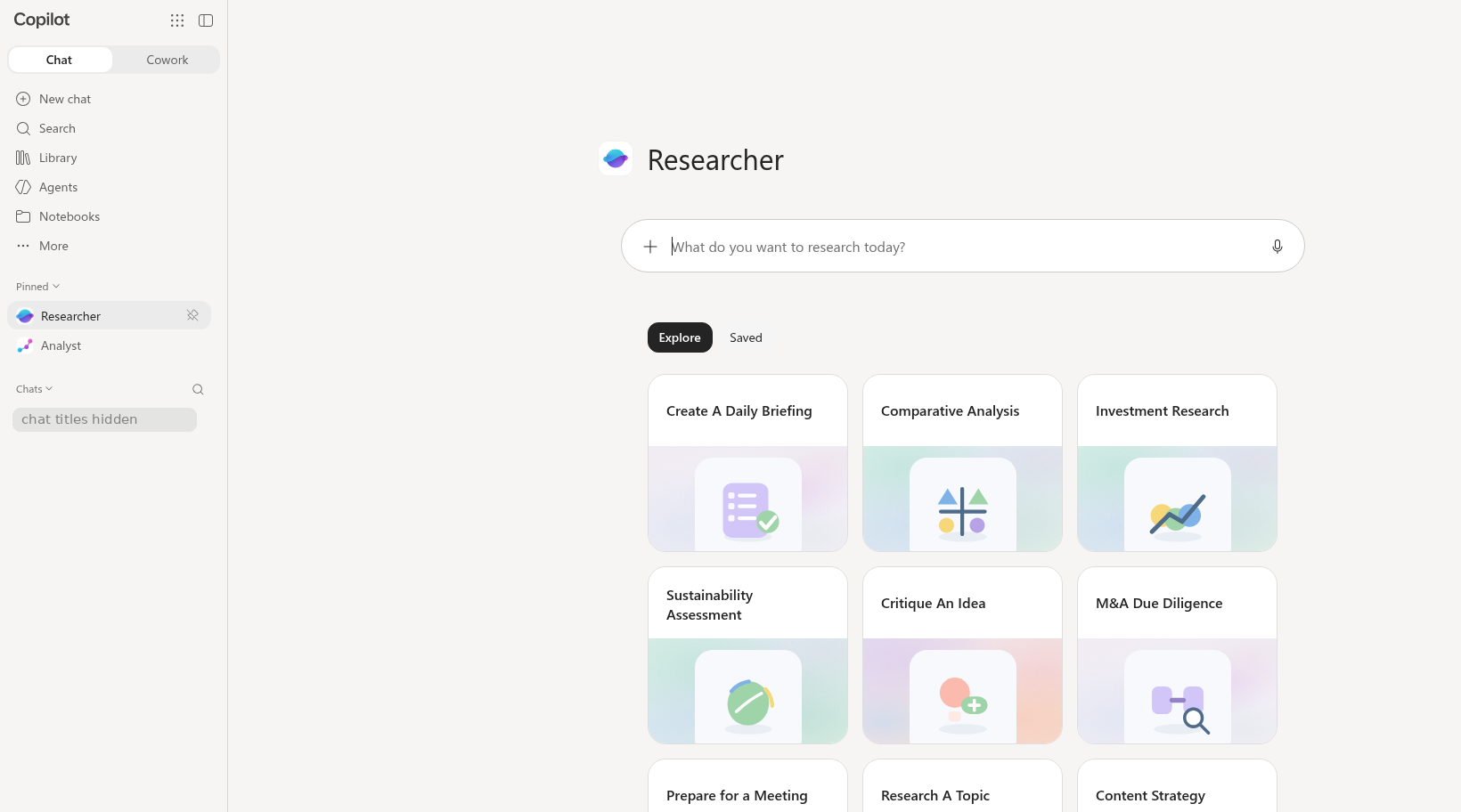
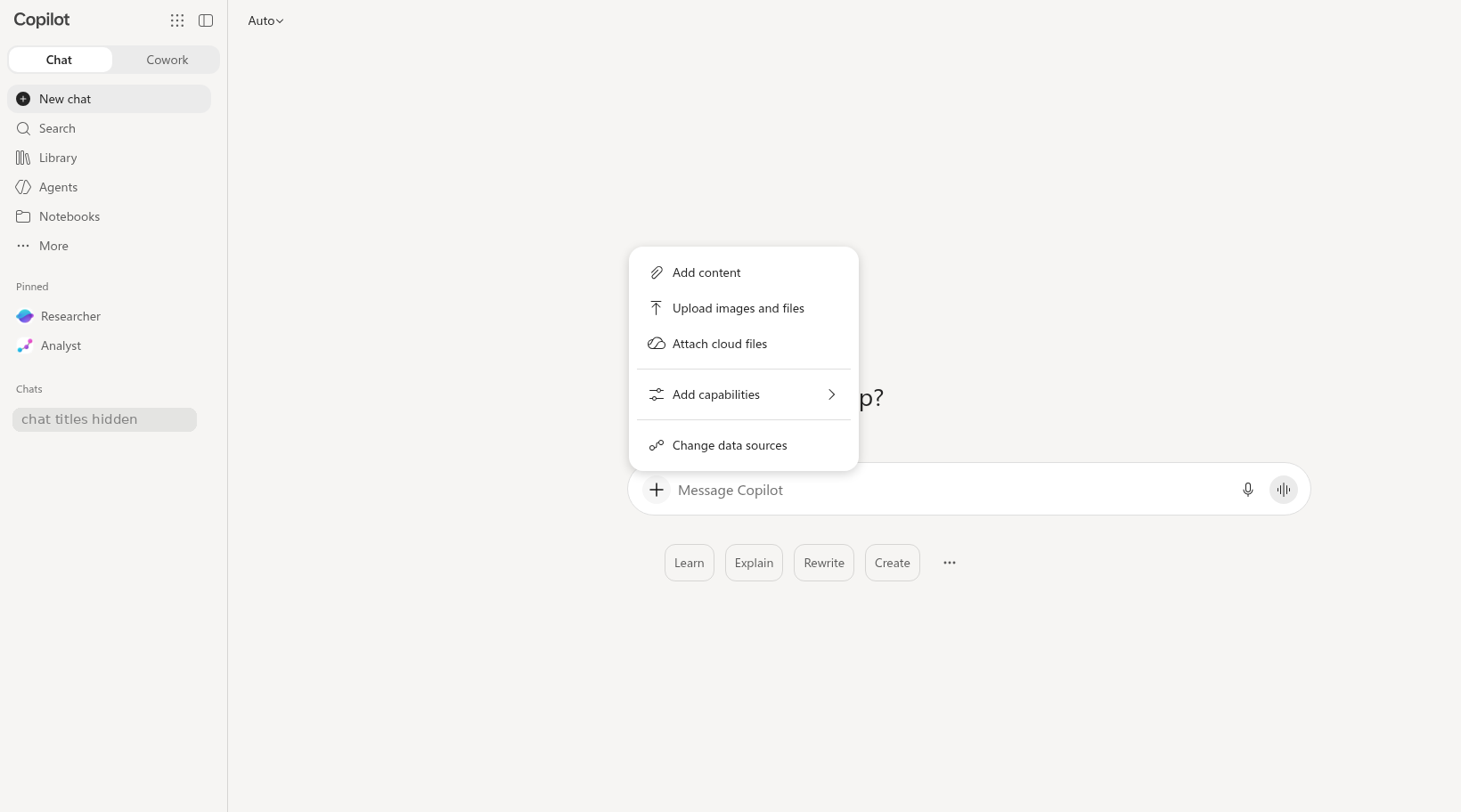
Annotated screenshots (consumer Copilot, opens the image): chat home empty researcher pinned plus button menu
Do it: step by step
Check off each step as you go. Your progress saves in this browser.
Path B (Copilot Chat only)? These steps are for Path A. Use the Path B steps in the Files step instead.
Prompts: vague vs detailed
Follow the brackets. The detailed prompt is built from the four C.H.A.T. parts: [Context], [How come], [Assign task], and [Type of output]. Keep the labels when you paste it; Copilot reads them fine, and they help you check that each part is there.
Compare a vague prompt with a detailed, source-checkable prompt. The activity below separates the request from the Guardrails you need before use.
Use CHATPROMPT to shape the request: Context, How come (why you need it), Assign task, Type of output, Persona, References, Optimize, Modularize, Progression, and Transcendence (expert level: the next useful question after the checked answer). Add Guardrails separately for training-only input, source checking, limits, and the Authorized Owner.
Researcher prompt
How can we reduce our backlog?
[Context] Act as a public-sector operations research assistant. We are studying a sample city's service-request process.
[How come] I am helping the City find ways to reduce its backlog of service requests.
[Assign task] Using the two documents I shared (files 02 and 05) and authoritative public web sources, identify three opportunities to reduce service-request backlogs without reducing service quality or fairness. Identify information that requires local policy review. Cite supporting sources and do not invent deadlines, requirements, or performance results.
[Type of output] Separate findings from the documents I shared, findings from external sources, and recommendations.
Why the detailed version works (letter by letter)
- CContext
We are studying a sample city's service-request process
- HHow come
I am helping the City find ways to reduce its backlog of service requests
- AAssign task
identify three opportunities to reduce service-request backlogs without reducing service quality or fairness
- TType of output
Separate findings from the documents I shared, findings from external sources, and recommendations
- PPersona
Act as a public-sector operations research assistant
- RReference
Using the two documents I shared (files 02 and 05) and authoritative public web sources
- GGuardrail: people decide
Identify information that requires local policy review
- GGuardrail: make it checkable
Cite supporting sources
- GGuardrail: keep it off-limits
do not invent deadlines, requirements, or performance results
No web search
[Context] Same chat as the Researcher prompt, with the same two files I shared (files 02 and 05).
[How come] I want to see which opportunities come from the City's own files and which depend on web sources.
[Assign task] Use only the two documents I shared. Do not use web sources or general knowledge. Give three opportunities that these documents support.
[Type of output] A numbered list of the three opportunities, each with the file and section it comes from. Then a short list called Not checked: what you could not confirm without public web sources.
Send this after the Researcher prompt. Path A: before you send it, turn Web off in Researcher's source options, if you see them. The setting is what stops web search; the words in the prompt are a backup. This uses another Researcher request, and Researcher has a monthly limit. Path B: use it if web search is turned off in your Copilot Chat.
Why the detailed version works (letter by letter)
- CContext
Same chat as the Researcher prompt, with the same two files I shared
- HHow come
I want to see which opportunities come from the City's own files and which depend on web sources
- AAssign task
Give three opportunities that these documents support
- TType of output
A numbered list of the three opportunities, each with the file and section it comes from
- RReference
Use only the two documents I shared
- GGuardrail: make it checkable
what you could not confirm without public web sources
- GGuardrail: keep it off-limits
Do not use web sources or general knowledge
Quiz
Self-check only. Answers stay on your device.
Path B Text Pack and downloads
Download the practice files (Path A)
Path A (full access): these downloads are for you. Save them where Copilot can reach them (OneDrive for the Office app labs). Path B: nothing to download; the files are below as text, ready to paste. Path C: nothing to download; read the text below when you check sources.
Path B (Chat only): short steps
- Select Copy all files + prompt below, paste it into the chat, and select Send. If Copilot asks questions first, answer them (for example: "Keep it brief, US local government").
- If Copilot says it cannot search the web, send No web search below in the same chat.
- Pasted text has no clickable citations. For points from files 02 and 05, find the line in the file text below. Open any web citations and read what they say.
These prompts work on both paths. They say "I shared," which fits whether you attach or paste the files.
[Context] Act as a public-sector operations research assistant. We are studying a sample city's service-request process.
[How come] I am helping the City find ways to reduce its backlog of service requests.
[Assign task] Using the two documents I shared (files 02 and 05) and authoritative public web sources, identify three opportunities to reduce service-request backlogs without reducing service quality or fairness. Identify information that requires local policy review. Cite supporting sources and do not invent deadlines, requirements, or performance results.
[Type of output] Separate findings from the documents I shared, findings from external sources, and recommendations.
[Context] Same chat as the Researcher prompt, with the same two files I shared (files 02 and 05).
[How come] I want to see which opportunities come from the City's own files and which depend on web sources.
[Assign task] Use only the two documents I shared. Do not use web sources or general knowledge. Give three opportunities that these documents support.
[Type of output] A numbered list of the three opportunities, each with the file and section it comes from. Then a short list called Not checked: what you could not confirm without public web sources.
File 02 - Service Request Procedure SR-100 Rev. 3 (3,897 characters)
FICTIONAL TRAINING FILE - The City of Fernhollow, its staff, residents and data are invented for the CPS HR Microsoft 365 Copilot workshop. Do not use real work data.

SERVICE REQUEST PROCEDURE SR-100
================================
Revision 3 · Effective July 1, 2026 · Approved by Renata Vossberg, Department Director · Owner: Resident Services Division


Section 1. Purpose
------------------
This procedure sets the steps and time limits for receiving, routing, responding to, and closing non-emergency and emergency service requests submitted by residents of the City of Fernhollow.

Section 2. Scope
----------------
This procedure applies to all Resident Services staff who receive or work on service requests. It does not apply to code-enforcement complaints, which follow Procedure CE-210.

Section 3. Definitions
----------------------
  - Service request: a resident's request for a City service, repair, or information, received through the online portal, by phone, by email, or in person.
  - Emergency request: a request involving an immediate risk to health or safety, as determined by the Intake Lead or Unit Supervisor.
  - Non-emergency request: any service request that is not an emergency request.
  - Duplicate request: a request that describes the same issue at the same location as an open request.
  - Business day: Monday through Friday, excluding days City offices are closed.

Section 4. Intake
-----------------
4.1 Requests are accepted through the online portal, by phone, by email, and in person, in any language. Staff must use the City's interpretation line when needed.
4.2 Every request receives a tracking number at intake.
4.3 Staff acknowledge every non-emergency request within 2 business days of receipt.

Section 5. Response Deadlines
-----------------------------
5.1 Emergency requests: staff respond within 1 business day of receipt.
5.2 Non-emergency requests: staff respond within 5 business days of receipt. (Revision 3 changed this from 10 business days.)
5.3 "Respond" means the resident receives a substantive reply stating the action the City will take or the information requested. A response is not the same as resolving the request.

Section 6. Exceptions and Extensions
------------------------------------
6.1 The non-emergency response deadline may be extended by up to 10 additional business days when the request requires a site visit or information from a third party.
6.2 Every extension requires the written approval of the Unit Supervisor before the original deadline passes.
6.3 The resident must be notified in writing of the extension, the reason, and the new date.

Section 7. Escalation
---------------------
7.1 A non-emergency request that is not resolved within 15 business days of receipt is reviewed by the Unit Supervisor.
7.2 The Unit Supervisor approves any escalation to the Division Manager.
7.3 A resident may ask for escalation at any time; the Unit Supervisor must reply within 3 business days.

Section 8. Duplicate Requests
-----------------------------
8.1 Duplicate requests are merged with the open request. The resident who submitted the duplicate is notified of the original tracking number.

Section 9. Closing a Request
----------------------------
9.1 A request is closed when the action is complete or the requested information has been provided, and the resident has been notified.
9.2 Request records are retained for 3 years after closing.

Section 10. Changes to This Procedure
-------------------------------------
10.1 Response deadlines and other requirements in this procedure change only by a written revision approved by the Department Director. Emails, meeting notes, and announcements do not change this procedure.
10.2 Revision history: Rev. 1 (2022) original; Rev. 2 (2024) added email intake; Rev. 3 (July 1, 2026) shortened the non-emergency response deadline from 10 to 5 business days.
File 05 - Executive Brief (memo source) (2,234 characters)
FICTIONAL TRAINING FILE - The City of Fernhollow, its staff, residents and data are invented for the CPS HR Microsoft 365 Copilot workshop. Do not use real work data.

EXECUTIVE BRIEF: SERVICE REQUEST IMPROVEMENT PROJECT
====================================================
Prepared for: Renata Vossberg, Department Director · Prepared by: Jordan Ekwueme, Senior Analyst · August 29, 2026 · Phase 1 (Diagnosis) findings


Purpose
-------
This brief summarizes what Phase 1 learned about the growth in the service-request backlog and proposes options for Phase 2. It is a briefing, not a decision document.

Findings
--------
  1. The backlog doubled in five months. Open requests at the end of the month rose from 135 in January 2026 to 270 in May 2026.
  2. Residents are waiting longer. Average days to resolve rose from 6.1 days in January to 8.4 days in June 2026.
  3. Many requests start in the wrong place. In a sample of 300 requests from April and May, 31 percent were first routed to the wrong unit and had to be re-routed, adding an estimated 1 to 2 days each. This is a sample estimate, not a count of all requests.
June was an exception: staff completed more requests than were received (completion rate above 100 percent) by clearing older requests during a focused effort, so the backlog fell in June.

Recommendations
---------------
  1. Add a single intake triage step so each request is routed to the right unit the first time.
  2. Publish a weekly backlog report to unit supervisors.
  3. Send residents a plain-language status update when a request is acknowledged and when it is extended.

Risks
-----
  - Staffing: 4 of 22 positions are vacant; triage may move workload rather than reduce it.
  - Data quality: August data will be incomplete because of the planned case-system migration.
  - Equity: residents who do not use the online portal may not benefit equally from portal-based status updates.

Next steps
----------
  - Phase 2 (Design): September and October 2026.
  - Proposed pilot: November 2026 through January 2027, if approved by the Department Director.
  - Results review: February 2027.

Note: This brief does not set deadlines. Response deadlines are set only by Procedure SR-100.
Path C (Watch and verify): Watch the trainer's Researcher run. Open the source links the trainer pastes in the chat and judge each one.
Debrief question: Did any citation say something different from the report? Mark each finding Supported, Copilot's interpretation, or Needs checking.