Step 0 Put every practice file in your OneDrive once
Do this once, at the start of the day. Afterwards every lab picks its files from OneDrive instead of downloading them one by one. Copilot in Word, PowerPoint, Excel, Agent Builder and Notebooks can only reach files that are in OneDrive.
- Select All practice files (zip) below and save it.
- Unzip it: on Windows right-click, Extract All; on a Mac double-click. You get one folder, Copilot_Practice_Files, with the lab subfolders inside.
- Open OneDrive on the web with your work account (onedrive.com or the OneDrive tile in the app launcher).
- Select Upload, then Folder, and pick the Copilot_Practice_Files folder. Uploading the folder keeps the subfolders (11_Agent_Knowledge, 12_Notebook_References, 13_Capstone).
- In any lab, when a step says attach or add a file, choose OneDrive and pick it from this folder.
Heads up: this browser is blocking local storage, so your progress will not be saved after you close the page.
Downloads
All files
Supplied practice files for every lab, plus the screenshots and caption files used on this site.
Everything at once
First prompt Baseline Prompt
Lab 1 Validate and Correct
Lab 2 Research Across Documents and the Web (Researcher)
Lab 3 Files and Screenshots
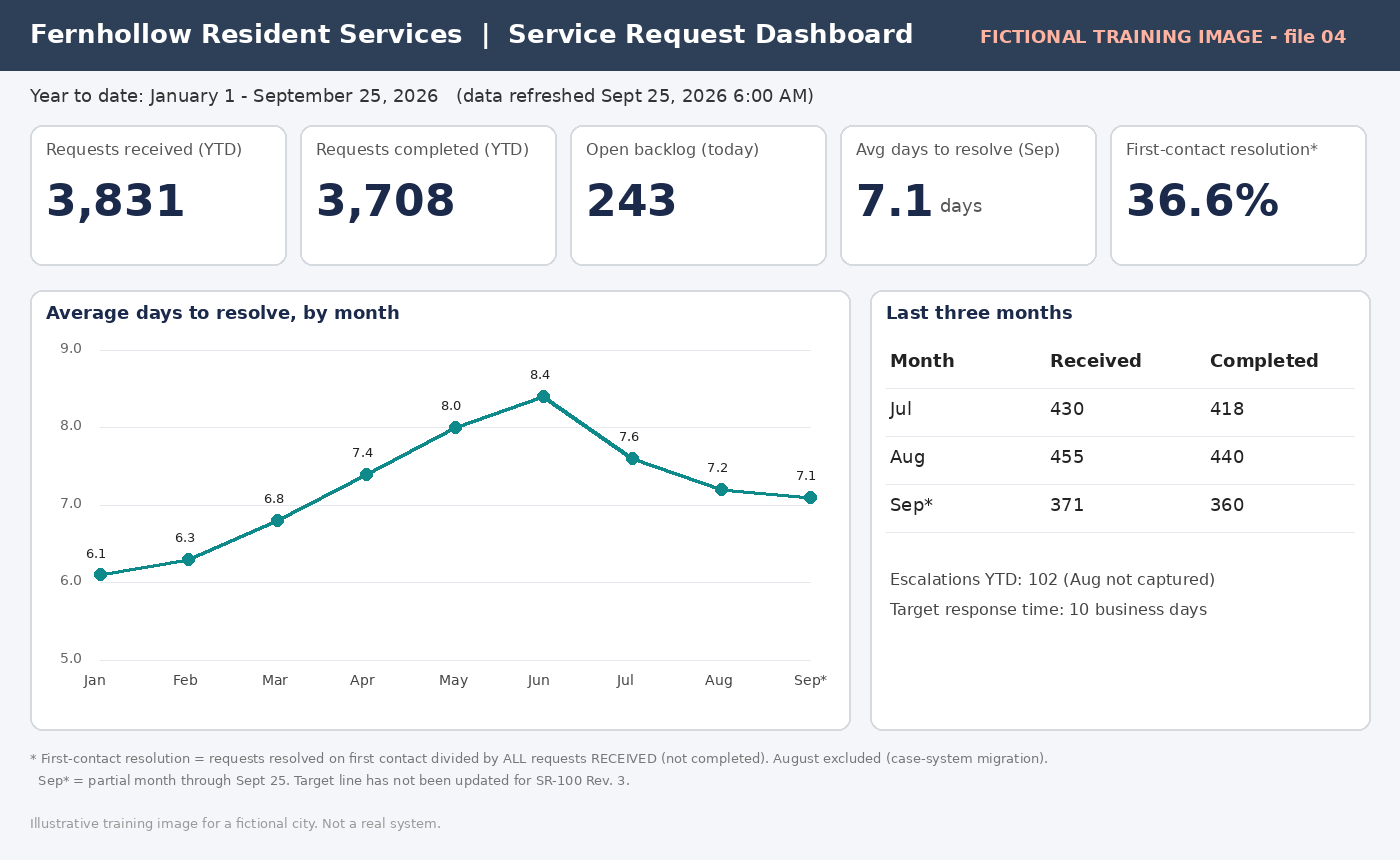
Lab 4 Draft a Memo in Word
Lab 5 Build a Presentation in PowerPoint
Lab 6 Excel: Calculate, Explain, Chart
Lab 7 Outlook: Thread to Reply
Lab 8 Teams: Meeting Recap
Lab 9 OneNote: Task List from Notes
Lab 10 OneDrive: Compare Versions
Lab 11 Analyst, the Built-In Agent
Lab 12 Test and Refine an Agent (Agent Builder)
Live demo Copilot Studio: The Triage Workflow in Action
Lab 13 Notebook Briefing and Audio
Capstone Prove It
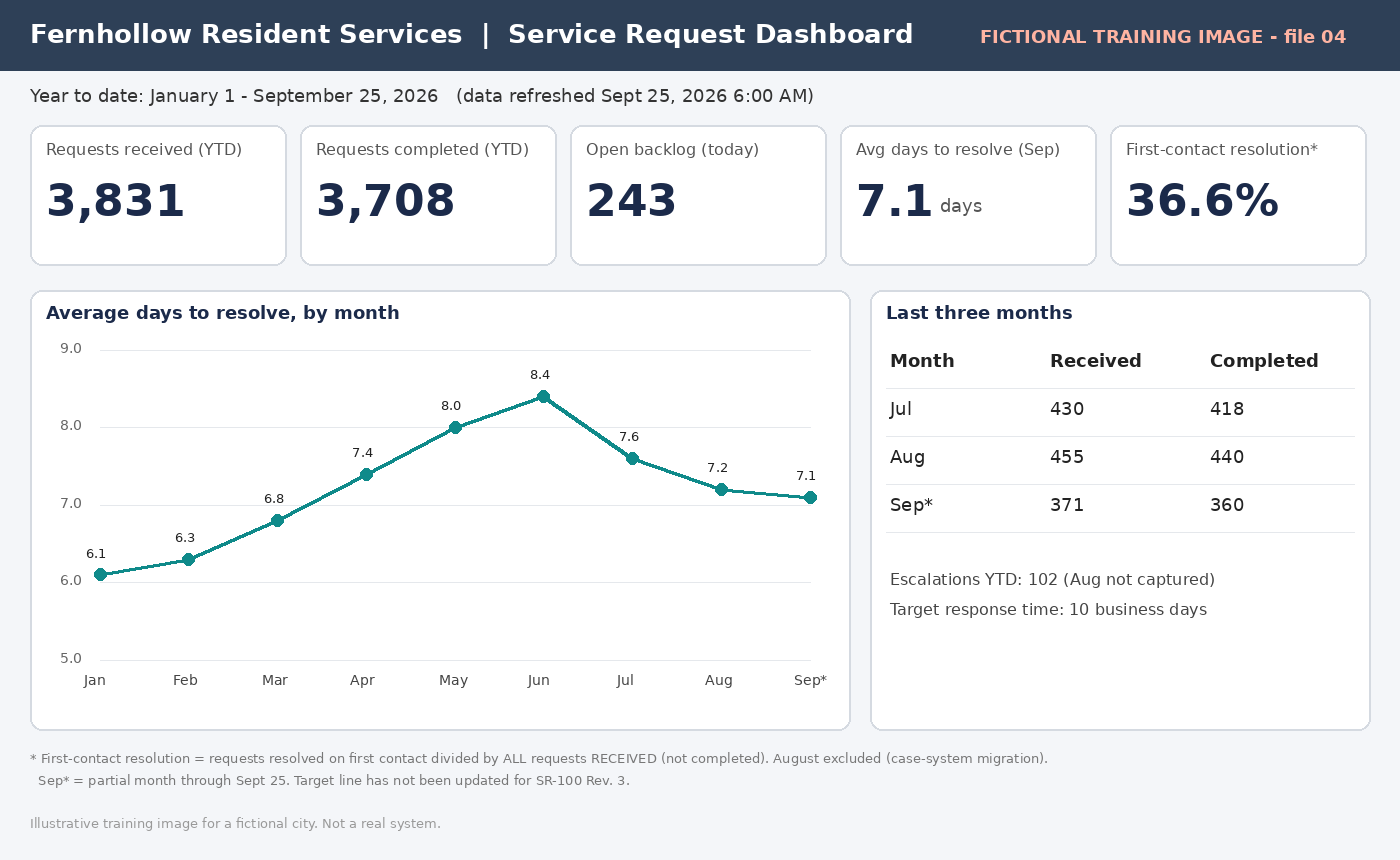
The capstone uses six sources: file 01E (Early Deadline Email), 02, file 03A (Service Agreement Excerpt), 04, 06, and 09. The file names keep their original numbers, so 01E and 03A are not the Lab 1 file 01 or the Lab 3 file 03.
Annotated screenshots (consumer Copilot)
Account names and chat titles are redacted. Your work Microsoft 365 Copilot may look slightly different.